
New in 3.0: forms, surfaces & animation

Liquid forms, modelled like the real thing.

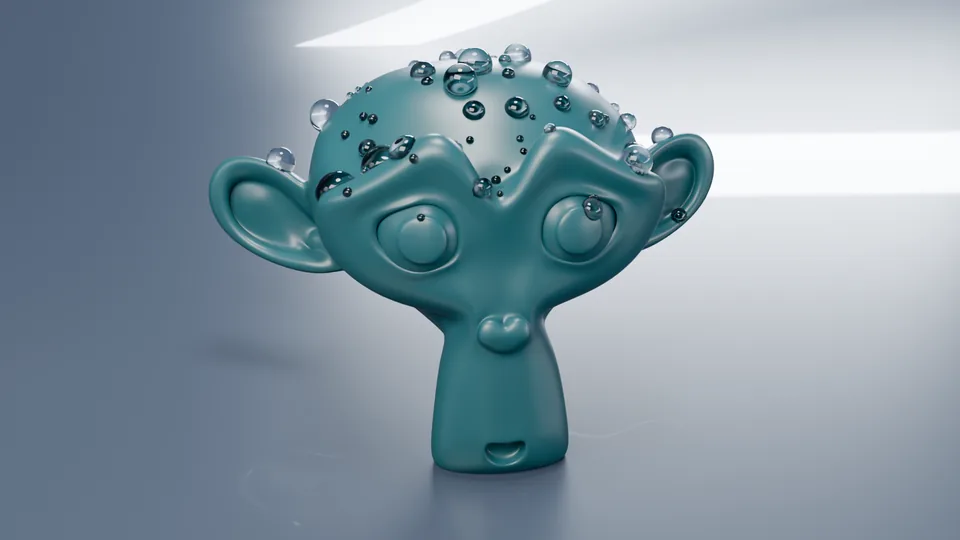
Droplet Forge builds water drops, beads, puddles, strokes and organic forms from real physics, with clean all-quad meshes you can keep editing, and sets them in motion. Design in your browser, then open them in Blender.

No install needed to try it: the droplet on the right is built live by the same engine Blender uses.

LiveTry itreal engine · same mesh as Blender
drag to orbit · click, then scroll to zoom
Drop an image to trace itPNG, JPG, WebP, AVIF · stays on your computer
The live preview needs WebGL. Open the bench for the full tool, or browse the renders below.
Open in the full bench
7form families
24material presets
9animation presets
0triangles: all quads
1:1same mesh in browser and Blender
New in 3.0

Beyond droplets: forms, surfaces, motion.

Pebbles, bubbles, tentacles, paint strokes, shells and vessels with the same clean quads. Surfaces that decide how water beads. And a timeline that makes it all move, in the browser and in Blender.

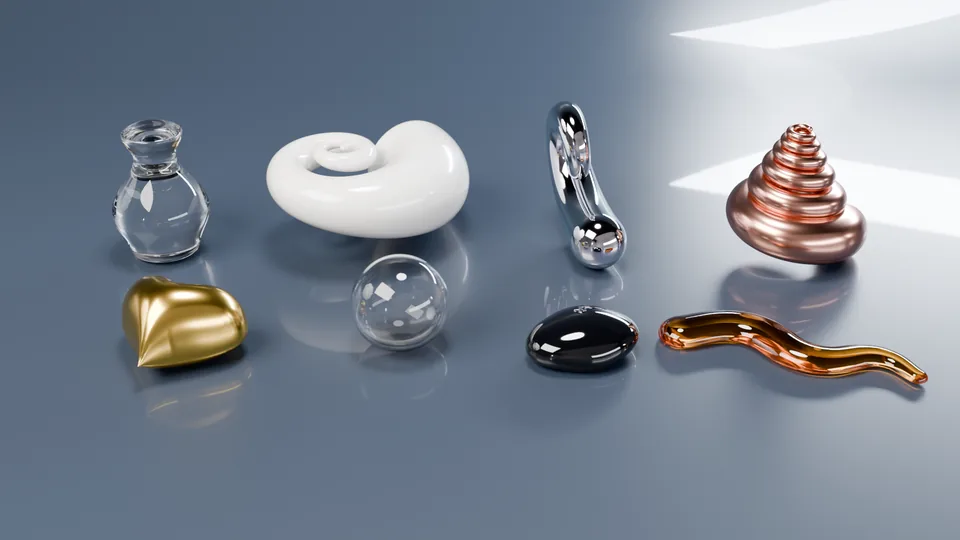
Inflate, pebble, bubble, tube, paint, shell and vessel forms made with Droplet Forge, rendered in Cycles
Every form here is parametric, all quads, and still editable. Rendered in Cycles.
Capabilities

Everything a liquid form needs, in one system.

From a single bead of dew to a traced logo poured in gold: start any way you like, shape it by hand, and get a mesh that renders cleanly.

Shapes & traces

1Start from anything.

A parametric shape, a curve, a mesh loop, the pen, or a photo of a sketch or logo. The dome follows real surface tension.

  • Set the contact angle, height or volume; flatness and sag for puddles.
  • Trace any image: corners, slots and arms are kept.
  • Edit outlines with handles on the real corners; untouched parts stay put.
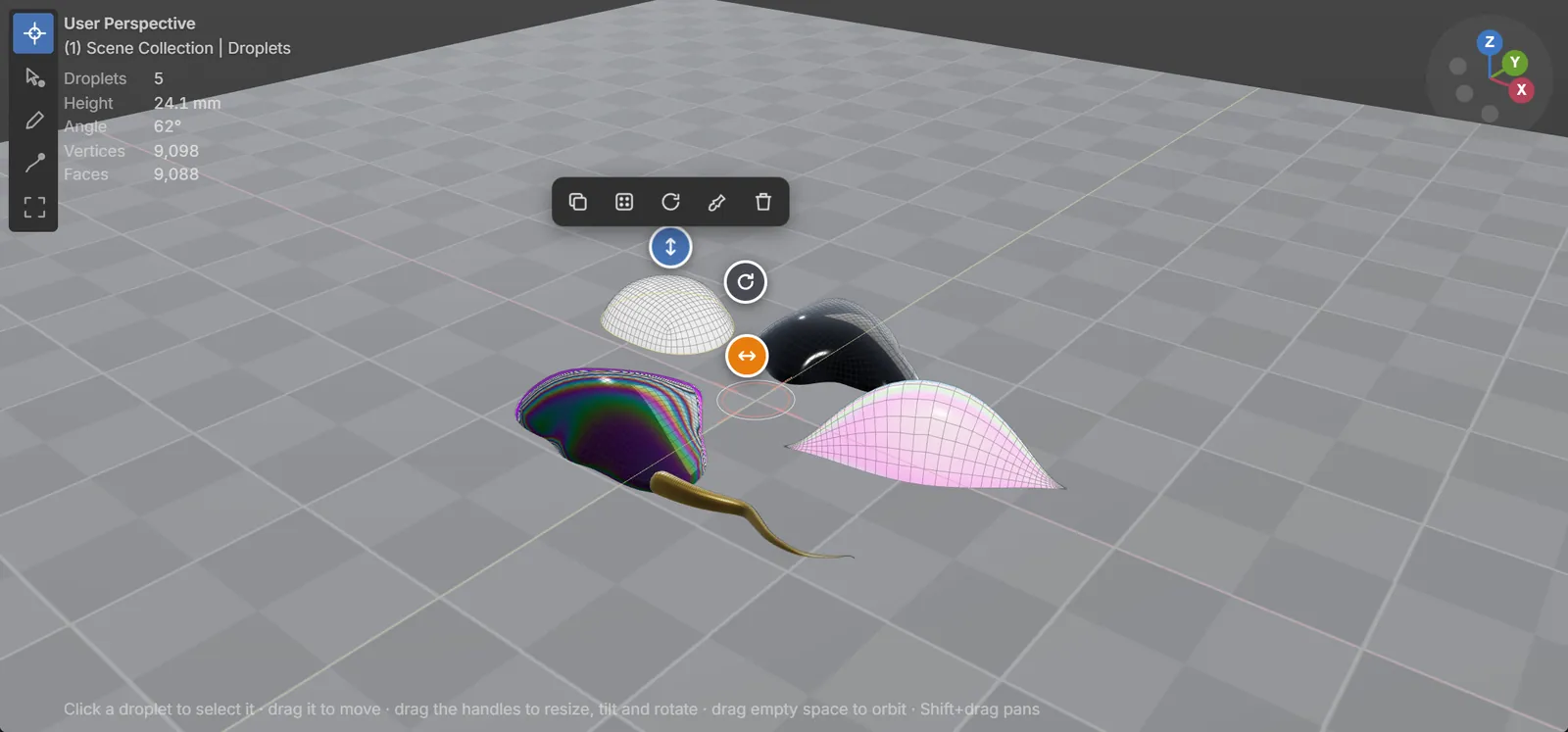
A family of organic droplets in the web bench
Puddles, beans, teardrops and wobbly blobs, all parametric.
Strokes & forms

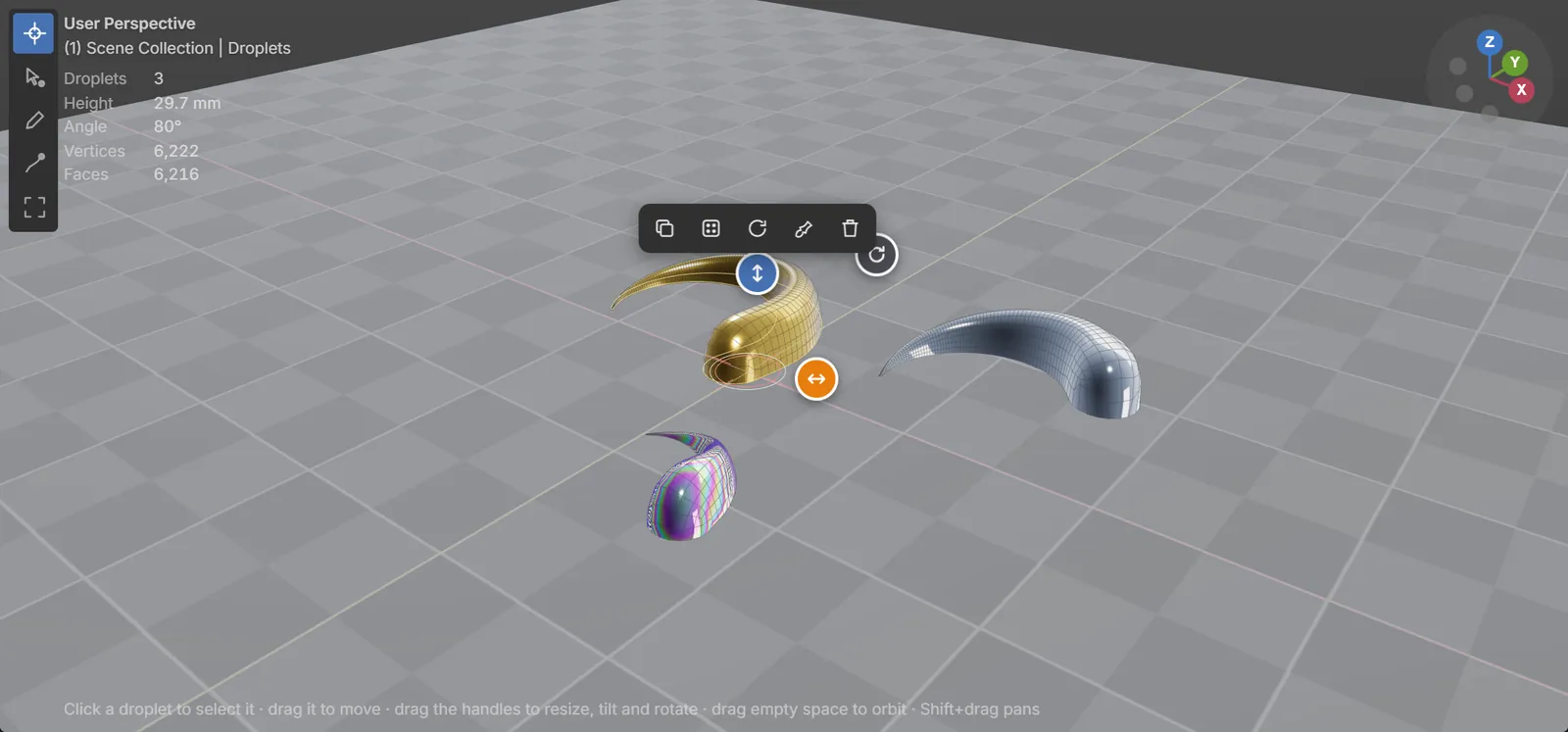
2Swirls, horns and hooks.

Drag an open stroke and it becomes a tapered liquid form. Or drop one of 19 ready-made forms at the cursor.

  • Width from fat start to fine tip, with rounded caps.
  • A stroke that crosses itself becomes one solid form, no intersections.
  • Overlapping droplets merge into a single clean shape.
Stroke forms: swirl, horn, comma and hook
The Forms library: strokes and blobs, one click each.
Form families New

3Pebbles, tubes, shells and vessels.

Pick a form and every new shape, outline or traced sketch becomes it. Same promise as the droplets: parametric, all quads, identical in the browser and in Blender.

  • Inflate any outline or logo into a plush 3D form; set front and back depth.
  • Pebble and Bubble on a quad sphere with no poles; Tube and Paint follow a drawn stroke.
  • Shell spirals and Vessel silhouettes. Switch back to Droplet any time, exactly as before.
Plush inflate, bubble, pebble, vessel, shell, tentacle and paint stroke
Plush inflate, bubble, pebble, vessel, shell, tentacle and paint stroke.
Clean topology

4Meshes an artist would build.

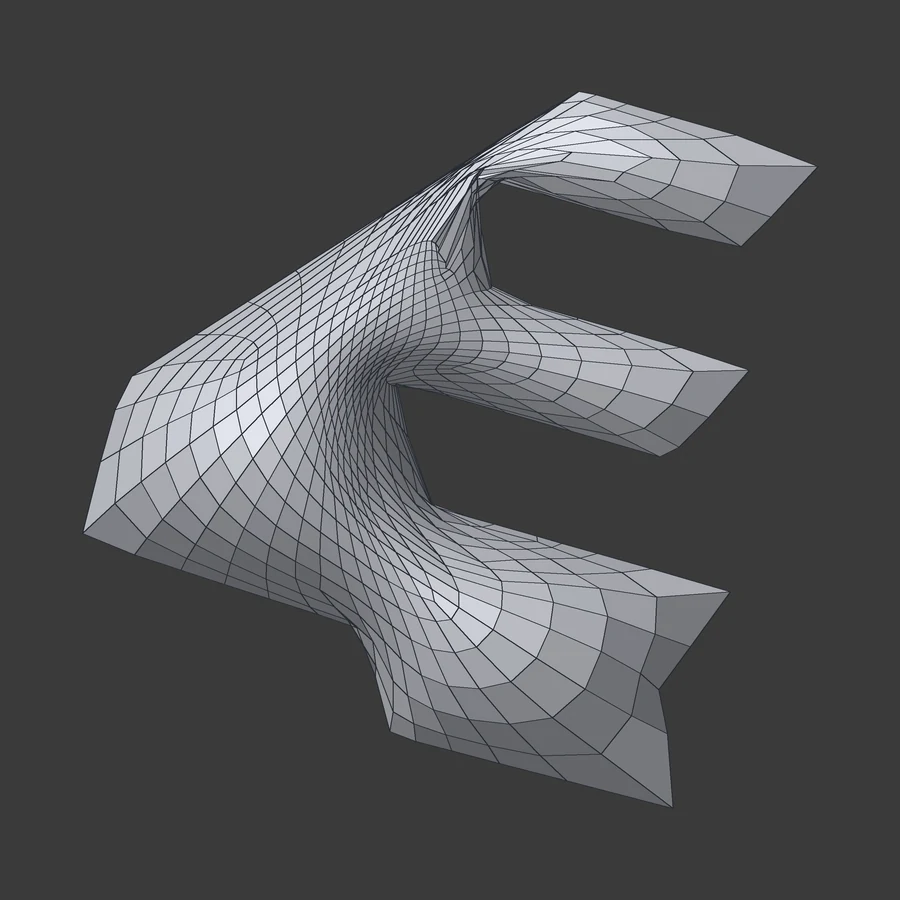
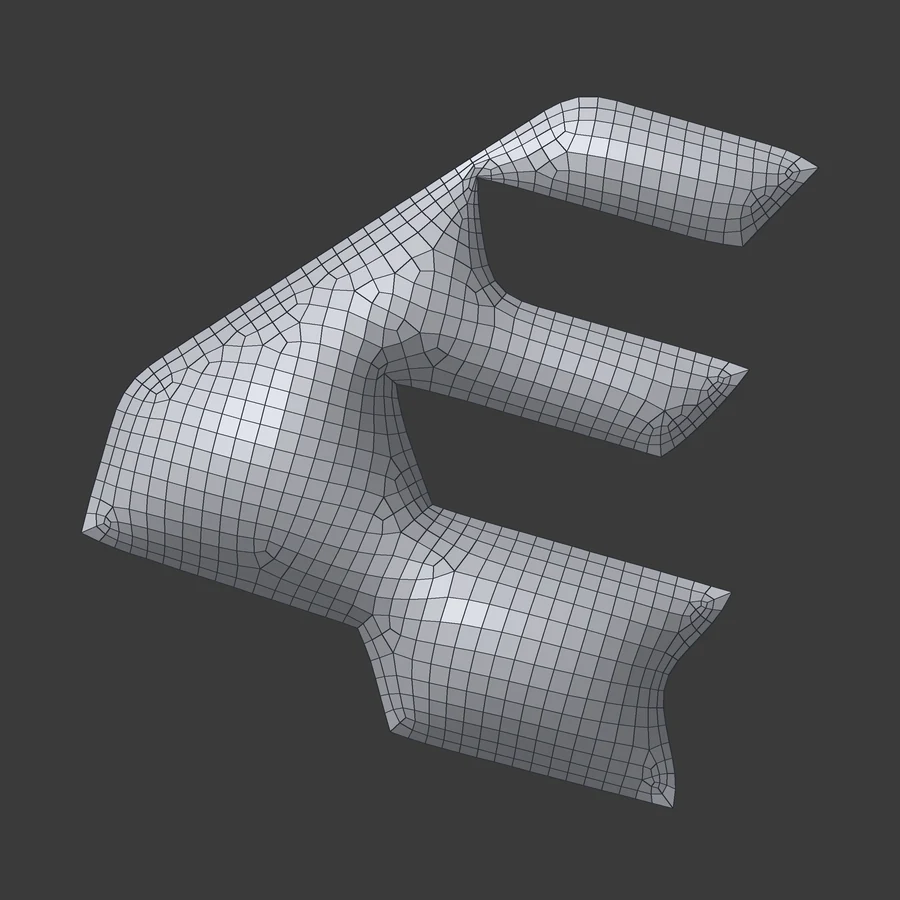
Round shapes get flowing rings; traced logos and sketches get a regular grid that runs along their arms. Drag the slider to compare.

  • All quads, no folds, no pinched corners or tips.
  • Edits stay local: the rest of the mesh holds still.
  • Stays parametric until you bake; subdivide-ready.

Same traced 4E logo, same top view, before and after the new layout.

worst angle 0.1° → 27°crowding 962 → 8triangles 0
Before, top view: the old ring layout crowds into the corners of a traced logo After, same top view: a regular grid that follows the logo's arms BeforeAfter
Surfaces & scatter

5Sits on any surface, beads on some.

Droplets conform to whatever they rest on and keep their volume on curved surfaces. Each surface sets how water behaves on it: glass spreads, wax beads.

  • Wetting per surface and beading drops up to 170°.
  • Bring your own model (glTF, OBJ, STL, PLY). It stays in your browser.
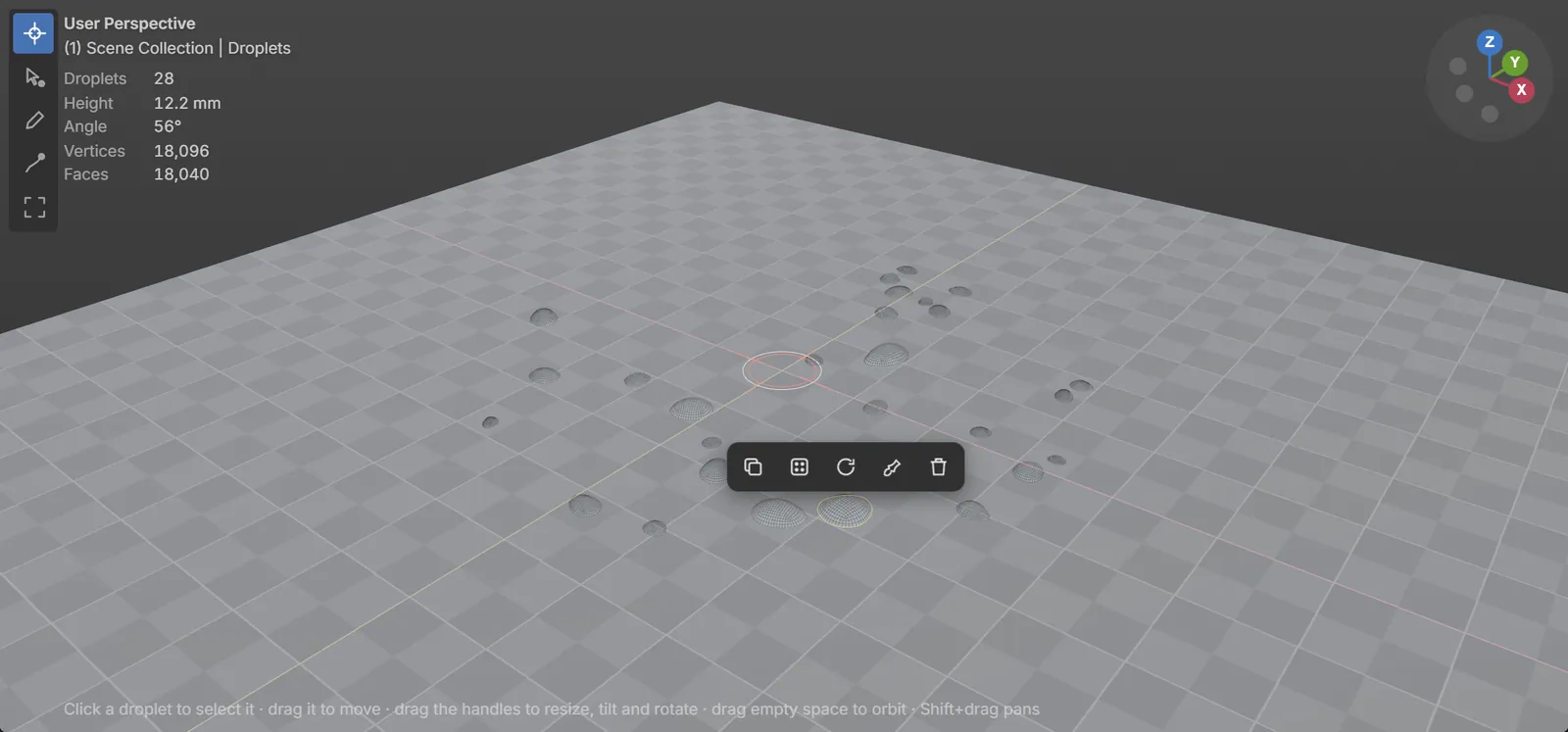
  • Scatter a field in one go; export OBJ, glTF, STL or PLY, plus FBX, USD and Alembic in Blender.
A scatter field of dew drops
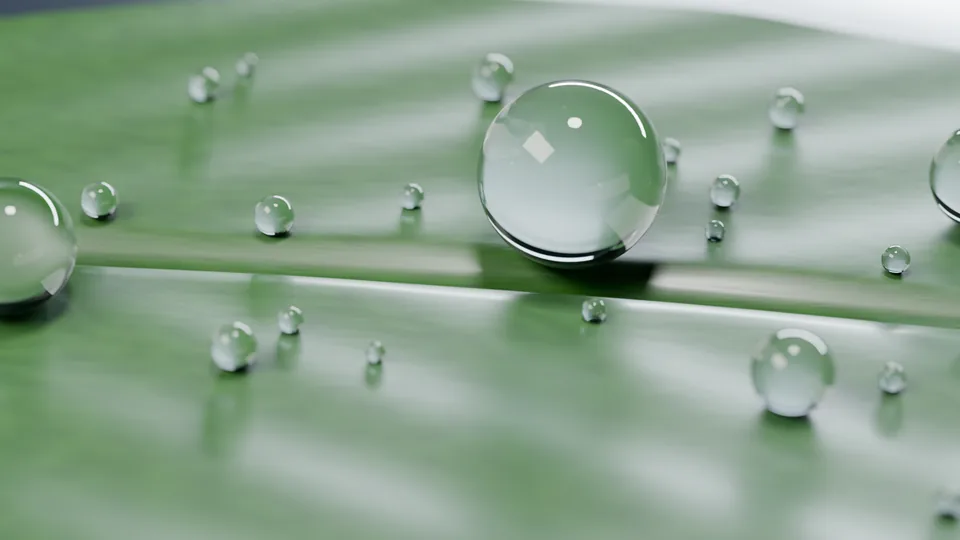
Morning dew: a scatter field with natural size variation.
The same drops on glass, stone and wax
Dew on a model
Animation New

6Make it move.

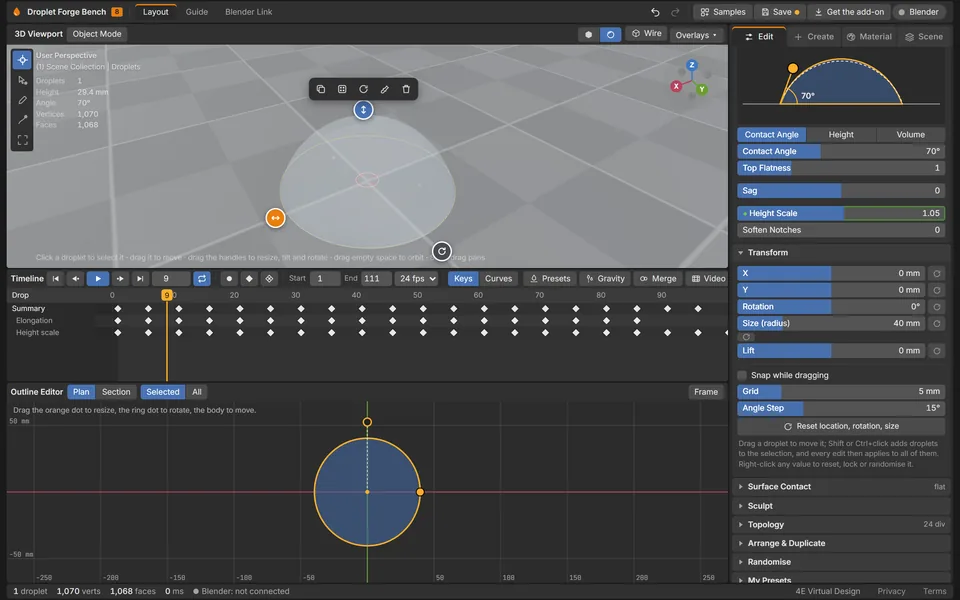
A timeline for every droplet and form. Start from a preset, then refine the keys and curves, or let gravity do the work.

  • Presets in a realistic and an exaggerated style: land, wobble, grow, evaporate, morph, draw on, pulse.
  • Gravity runs: drops slide, stop and go, leave trails and merge, volume kept.
  • Native keyframes in Blender; bake to shape keys or Alembic, or export a video from the bench.
The bench timeline with animation presets
The bench timeline: presets, keys and curves.
The Blender window

7One window, right inside Blender.

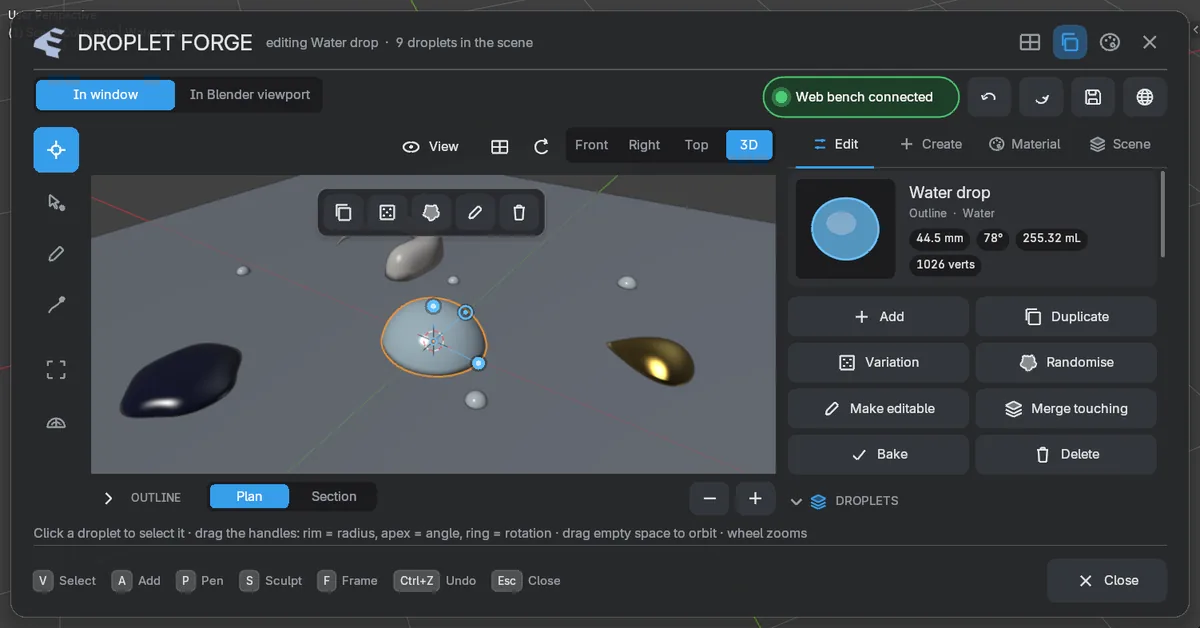
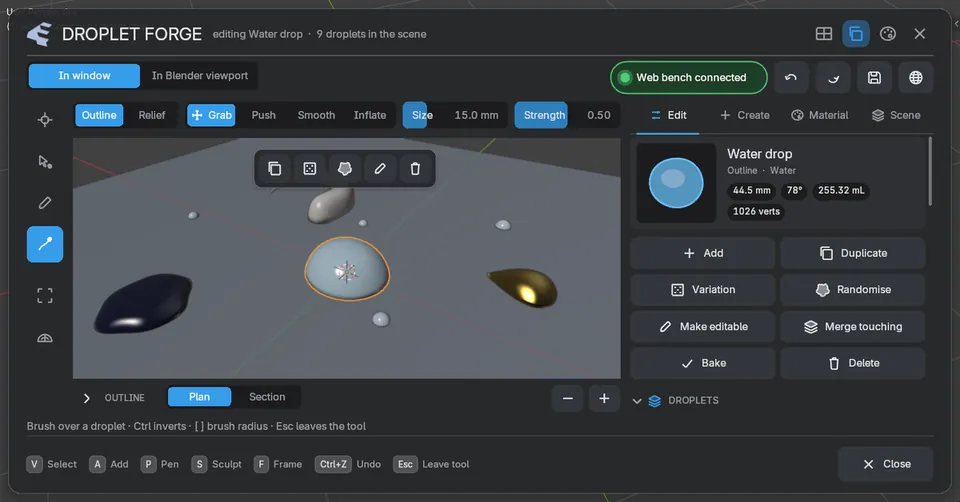
Press Ctrl Shift D: tools on the left, an editable 3D view, and the same Edit, Create, Material and Scene tabs as the web bench, plus Animate.

  • Edit in the window, or switch to your own viewport and work on your scene.
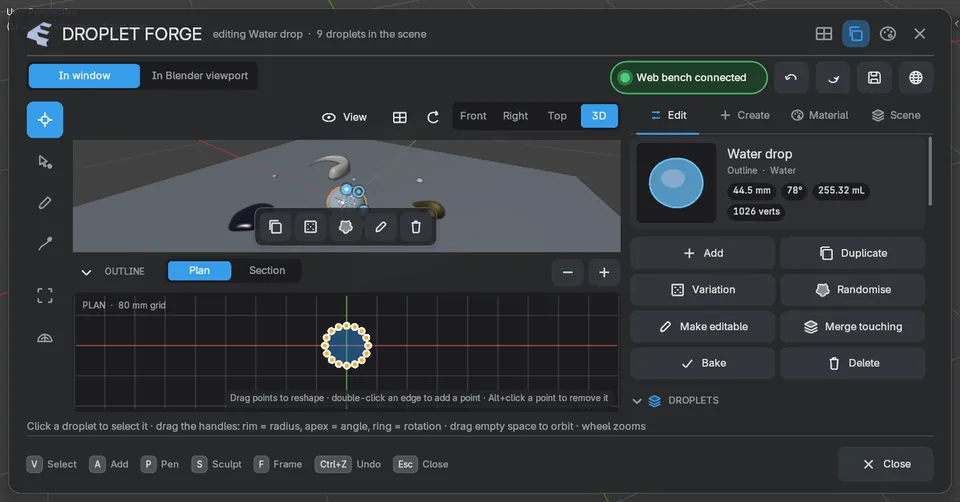
  • Handles for radius, angle and rotation; pen and sculpt brushes.
  • Live edits with normal undo, Blender-style numpad views and cameras.
The Droplet Forge window in Blender
The Droplet Forge window in Blender 5.1.
Outline editor with handles
Sculpt brushes in the window
Live link

8Browser and Blender, in sync.

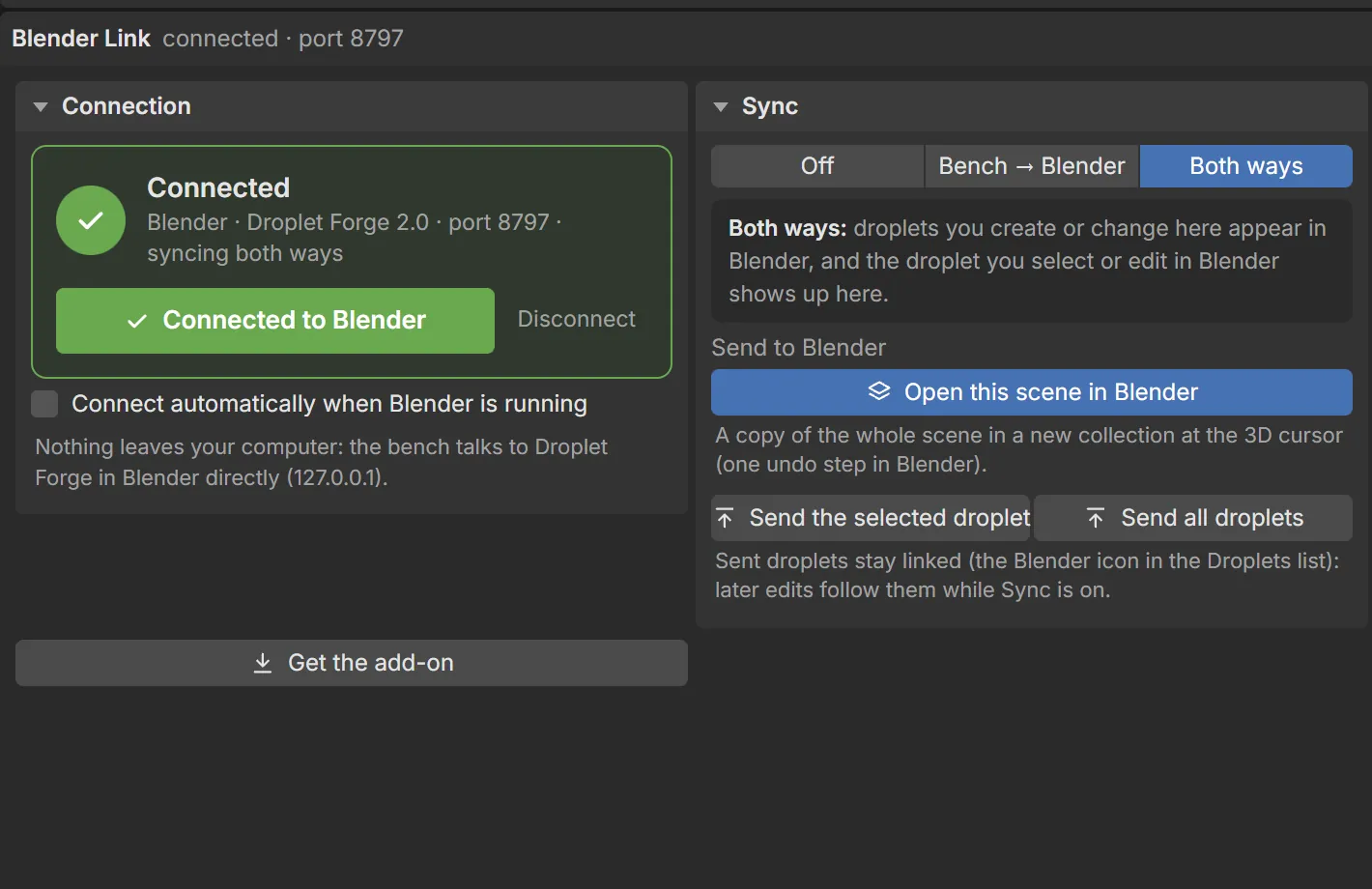
Connect the web bench to Blender on your computer: design in one, see it in the other, both ways, instantly.

  • Runs on your own machine (127.0.0.1); nothing leaves your computer.
  • A green light when you're connected; linked droplets are badged.
  • Send a whole scene into Blender as one shape, in one undo step.
The bench connected to Blender
Connected: the bench and Blender build the very same droplet.
My Shapes

9Your shapes, everywhere.

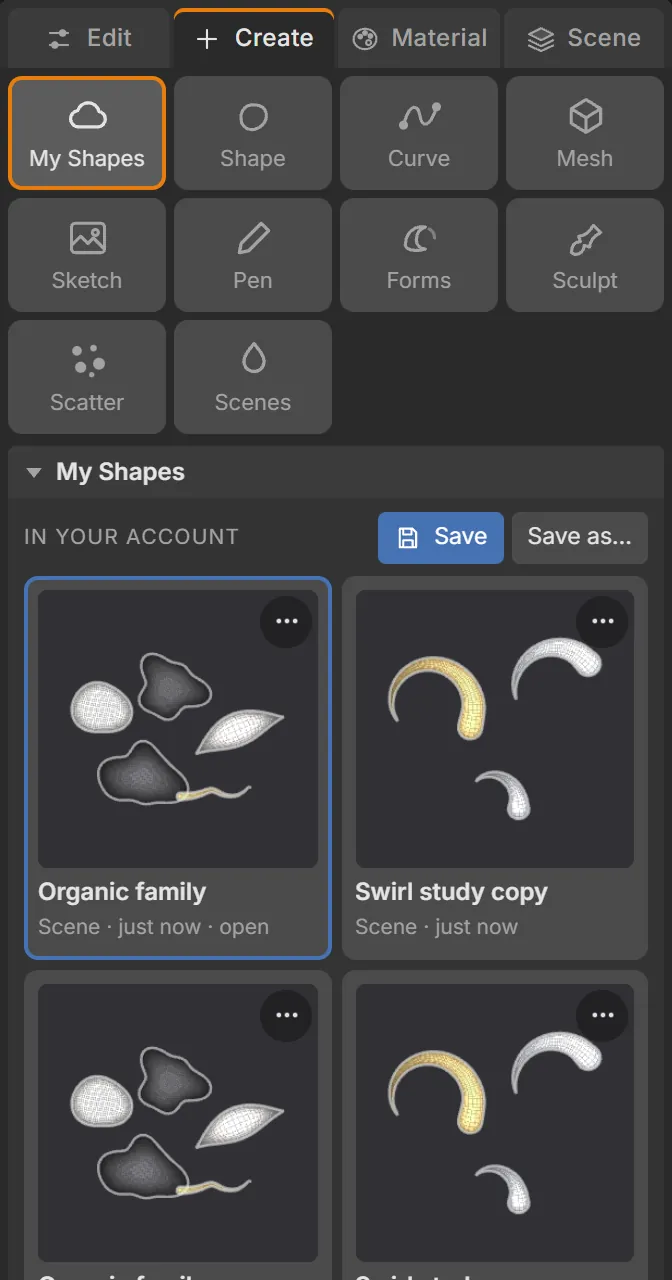
Sign in with Google to save your designs. Open them in any browser or straight into Blender's My Shapes gallery.

  • Link Blender with a short code; it never sees your password.
  • Save from Blender too, with an automatic thumbnail.
  • Optional, private, and you can delete everything any time.
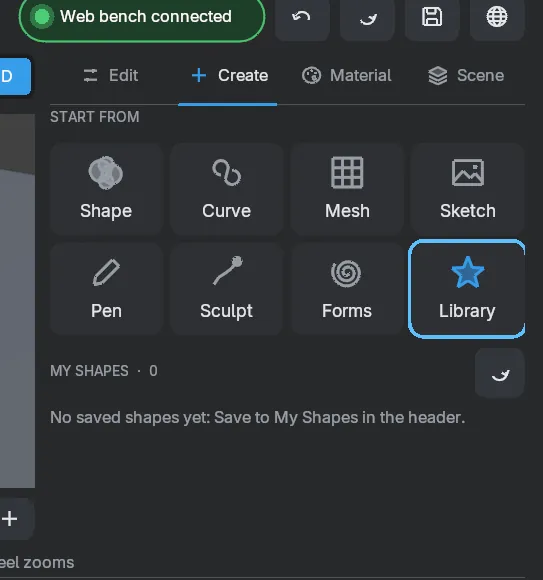
My Shapes library in the web bench
My Shapes gallery in Blender
Materials

Twenty-four finishes, ready to render.

Water and dew, honey and ink, glass and opal, metals, and thin-film iridescence. Click one to pour it onto the live droplet above. In Blender each preset is a full Principled material, and its colour shows in the viewport too.

How it works

Design, link, render.

Design

Shape droplets in the web bench, or in Blender with Ctrl Shift D. Start from a preset, a form, a trace or the pen.

Open the bench

Link

Start the link in Blender and press Connect in the bench. Edits flow both ways; or save to My Shapes and open later.

Connect

Render

Clean all-quad meshes with real materials, ready for Cycles or EEVEE. Animate, then bake to a plain mesh, shape keys or Alembic.

See renders
Get started

Ready in a minute.

In your browser

The web bench

Nothing to install. Design, trace, sculpt and save, on desktop or tablet.

  1. Open the bench.
  2. Open one of 32 sample projects, or pick a shape and start shaping.
  3. Sign in to keep your shapes (optional).
In Blender

The Blender add-on

For Blender 4.2 or newer on Windows, macOS and Linux.

  1. Download the add-on.
  2. Drag the downloaded .zip onto Blender's window and press OK.
  3. Press Ctrl Shift D in the 3D view.
Questions

Good to know.

Do I need to install anything?

No install needed for the web bench: it runs in your browser. To use your shapes in Blender, add the Droplet Forge add-on (a single .zip, drag it onto Blender).

Which Blender versions does it support?

Blender 4.2 or newer (tested on 5.1), on Windows, macOS and Linux.

Do I need an account?

No. Everything works without one. Sign in with Google only if you want to keep shapes in your account and open them in Blender's My Shapes gallery.

Does my work leave my computer?

The live link between the bench and Blender runs only on your own computer (127.0.0.1). Only shapes you choose to save to My Shapes are stored online, and you can delete them, or your whole account, any time.

Will the mesh match between the browser and Blender?

Yes. The browser runs a line-by-line port of the add-on's geometry engine, and both build the exact same quad mesh.

Does the live link work in Safari?

Safari blocks web pages from talking to apps on your computer, so use Chrome, Edge or Firefox for the live link. In Safari you can still save to My Shapes and open them from Blender, or open the copy of the bench that Blender serves itself.

Can I animate droplets and forms?

Yes. Every setting can be keyframed. Start from a preset (realistic or exaggerated), run drops down a surface with gravity, or merge two drops. In Blender these are normal keyframes you can edit in the Graph Editor, and you can bake them to shape keys, a mesh sequence or Alembic. The bench exports MP4 or WebM video.

Can I use my own model as the surface?

Yes. In Blender any mesh works. In the web bench, load a glTF, GLB, OBJ, STL or PLY file: it is read in your browser and never uploaded. Droplets sit on it, scatter over it and run down it.

Which file formats can I export?

From the bench: OBJ, glTF / GLB (with materials and animation), STL and PLY. From Blender: glTF, FBX, USD, Alembic, STL, OBJ and PLY in one click, with the right options set.

Can I use what I make commercially?

Yes. What you create is yours.